
1
Connect
Add your OpenAI API key and sign in to Gmail when you're ready.
Inbox Maid is a Windows app that uses AI to triage thousands of emails and previews every label and Trash move — nothing changes until you hit Apply.
Runs on your Windows PC · Your own OpenAI key · One-time license
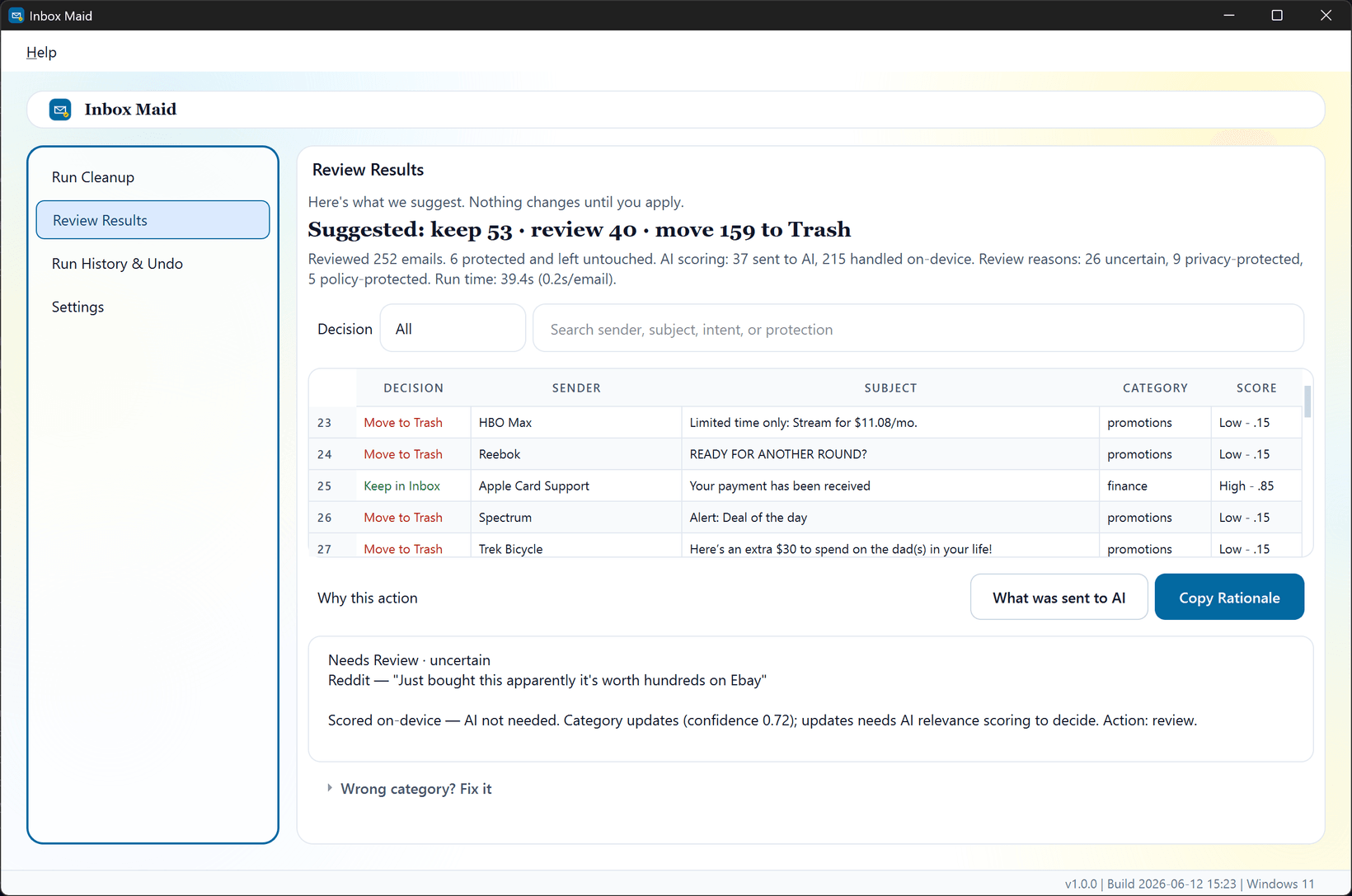

AI groups the clutter so you can review hundreds of messages at once — and your inbox doesn't change while you look.

Every run starts as a read-only preview. Nothing moves until you turn on apply and confirm.

AI flags promotions and newsletters as Trash candidates. Approve the sweep — and undo from run history when rollback data is available.

Pay once, not every month — and it runs on your PC, not our servers.
Three steps. Nothing happens by surprise.
Add your OpenAI API key and sign in to Gmail when you're ready.
Run a preview on a batch of messages.
When the preview looks right, enable live apply.
The work happens on your PC. We never host or copy your mailbox, and your own OpenAI key only sees what your privacy setting allows — you set it, you see it.
Local credential storage. API keys stay in your OS keychain.
No server-side access. We never mirror or host your mailbox.
Clear about access. We spell out exactly what Inbox Maid can touch in Gmail — read-only until you apply.
The one who wants their inbox handled on their own terms.
Coming from a cloud cleaner
You want a clear inbox — not a third party holding standing access to your email history. Inbox Maid does the work on your own machine instead.
Sitting on 10,000+ unread
Years of promotions and receipts have piled up. Preview lets you clear the noise in batches without gambling on a wrong delete.
Bringing your own AI key
Use your own OpenAI key, watch every charge, and skip the monthly fee. You decide what gets processed and what it costs.
Pay once and own your copy — bring your own API key and pay only for the AI you use. No monthly fee, ever.
$49.99
One-time price, planned at launch. Includes updates within the current version.
Get early accessJoin now to lock in early access. API usage is billed separately by OpenAI. Contact us with questions.
No. One-time purchase — $49.99 for a perpetual license on up to 2 devices.
No. The desktop app processes Gmail on your device — we don't host or keep a copy of your mailbox. Google and OpenAI may process data per your settings when you run the app.
You control model usage and billing. Inbox Maid sends prompts from your PC using your key.
Read access for previews; modify access only when you apply labels or move messages to Trash. Details on our Security page.